1. One trip, step by step
A trip starts when someone requests it: a call button at the pass, a table number on the robot’s screen, or a task queued automatically by the POS. The robot then drives from its waiting spot to the pass, where staff load the trays.
From there it follows the route it was taught during commissioning to the requested table, stops, announces arrival, and waits for the guest or server to unload. Then it either goes to the next task or returns to its dock.
Nothing in that sequence is autonomous in the sense of "figuring out the restaurant". Every path is mapped in advance, and every stop is a position a technician set up during deployment.
2. How it knows where it is
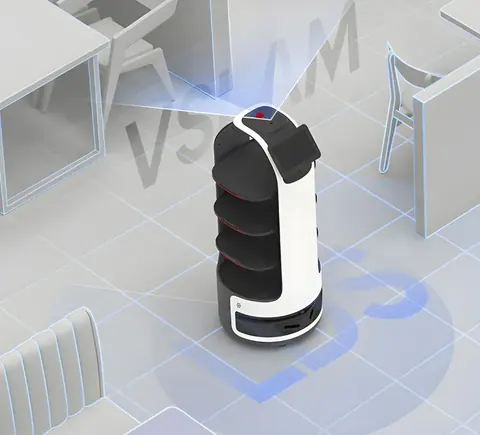
The mapping visit builds a floor plan with the robot’s laser scanner. Afterwards the robot compares what its scanner sees with that plan to work out its position — which is why moving furniture is survivable, but a new wall is not.
Obstacle avoidance is a separate layer: it slows down or stops for a chair, a guest or a dropped napkin, then resumes. CA01 and CA02 use 25 m laser navigation with autonomous obstacle avoidance.
The physical envelope matters as much as the sensors: CA02 turns inside a 254 mm radius and climbs 5°, which decides whether it can pass the gap between the bar and the first table, or get over the threshold to a terrace.
3. How it finds the right table
Tables are not discovered — they are configured. During deployment the technician records docking points and maps them to table numbers or zone names, and that is the list the staff see on screen.
This is where integration level changes the experience. A call button means staff choose the destination; a screen means the guest can; a POS integration means the ticket itself routes the robot, with no one pressing anything.
If a venue reshuffles its floor for a season, the docking points need to be re-recorded. Budget that as routine maintenance, not as a fault.
4. Trays: the part staff touch most
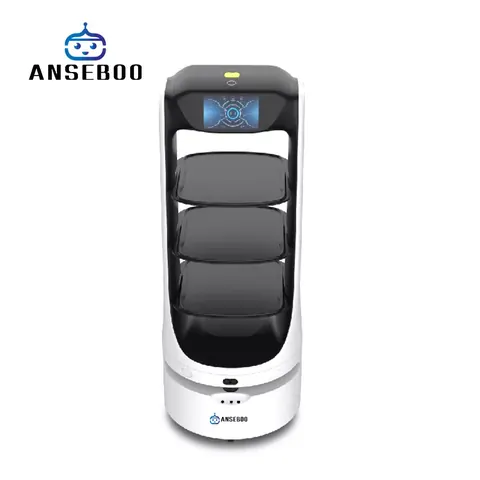
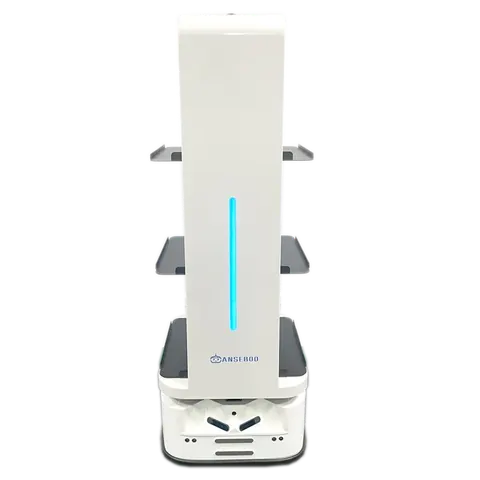
Tray geometry decides the workflow. CA01 carries three 320 × 400 mm trays; CA02 carries three 500 × 450 mm trays, which is what allows a standard dinner tray to sit flat instead of being repacked.
Detachable trays let staff plate at the pass and swap a full set while the robot waits, so loading time does not sit inside the delivery loop. That swap is the single biggest operational difference between a robot that gets used and one that gets parked.
5. Power and charging
Published runtime for the delivery range runs from about 6 hours (AS10, cross-floor) to 10–12 hours (FD05, FD09). Treat those as mixed running, not as continuous driving: waiting at tables still consumes power.
Charging is the second half of the decision. CA01 and CA02 need 2–4 hours on a charger, while several models return to their dock and recharge themselves. A single-service restaurant can live with a manual charge; a venue running lunch and dinner back to back usually cannot.
6. What the robot still does not do
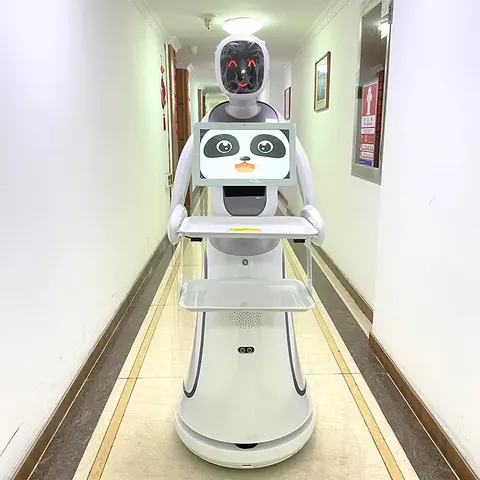
It does not take orders at the table, clear plates unless staff load them, or handle a spilled drink. It does not decide that table 12 is in a hurry. Those remain staff tasks, and a realistic plan counts the robot as transport between two points, not as a replacement for a server.
It also does not solve a crowded floor. If guests pull chairs into the aisle during peak, the robot will stop more often than it drives — which is a floor-plan problem, not a robot problem.
7. Where these systems usually fail
Three failure modes cover most of what we see. First, localisation drift after the room is rearranged beyond recognition; the fix is a re-map, and the symptom is the robot stopping in the middle of a route.
Second, tray workflow: staff keep loading the robot at the table instead of the pass, so it no longer saves steps. Third, cross-floor deployments where the lift is shared with guests — the robot waits, and the trip time becomes unpredictable. Only the AS10 in this range controls elevators and doors, so that capability has to be matched to the venue, not assumed.
Before you order
- Ask for a live demonstration of a full trip, including the return to dock.
- Confirm who records docking points and how a floor change is re-mapped.
- Check the turning radius against your narrowest aisle, with chairs pulled out.
- Ask how many trays the pass can load at once, and whether they detach.
- Confirm the runtime against one service, not a full day.
- Ask whether docking is included and whether it is automatic.
- Confirm what happens when the robot cannot find its position.
- Test the destination workflow staff will really use: button, screen or POS.
- Check whether the lift is shared with guests before planning multi-floor trips.
- Agree what the robot is not expected to do, in writing.